All event sponsor tutorials

Lesson 9 of 11

Getting Paid and Weekly Billing

Connect your payment account, understand the weekly platform fee, and find your statements and receipts.

Prefer to read? The steps

1Connect your payment account

To collect application and booth fees, open SMS and Payments and look for the box called Collecting fees from exhibitors. Click Connect with Stripe and sign in to your own Stripe account. Exhibitor payments go straight into your account. FestApply never holds that money. Today Stripe is the payment service. Others will be added later, and each will have its own steps.
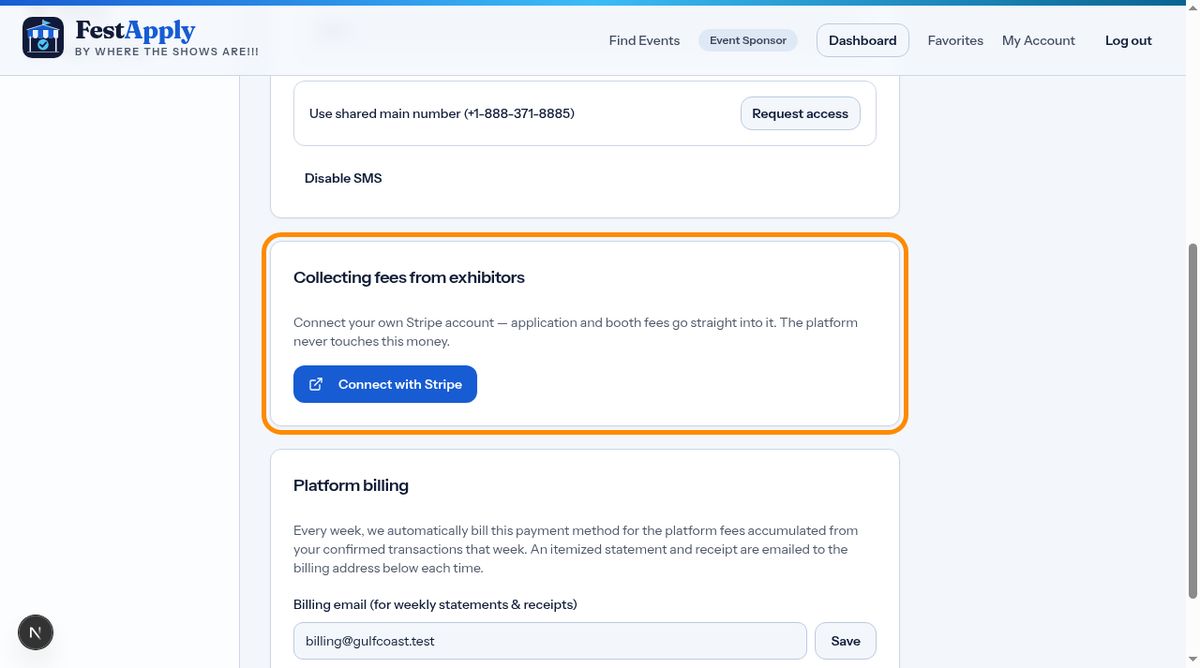
Connect your payment account

2Platform billing

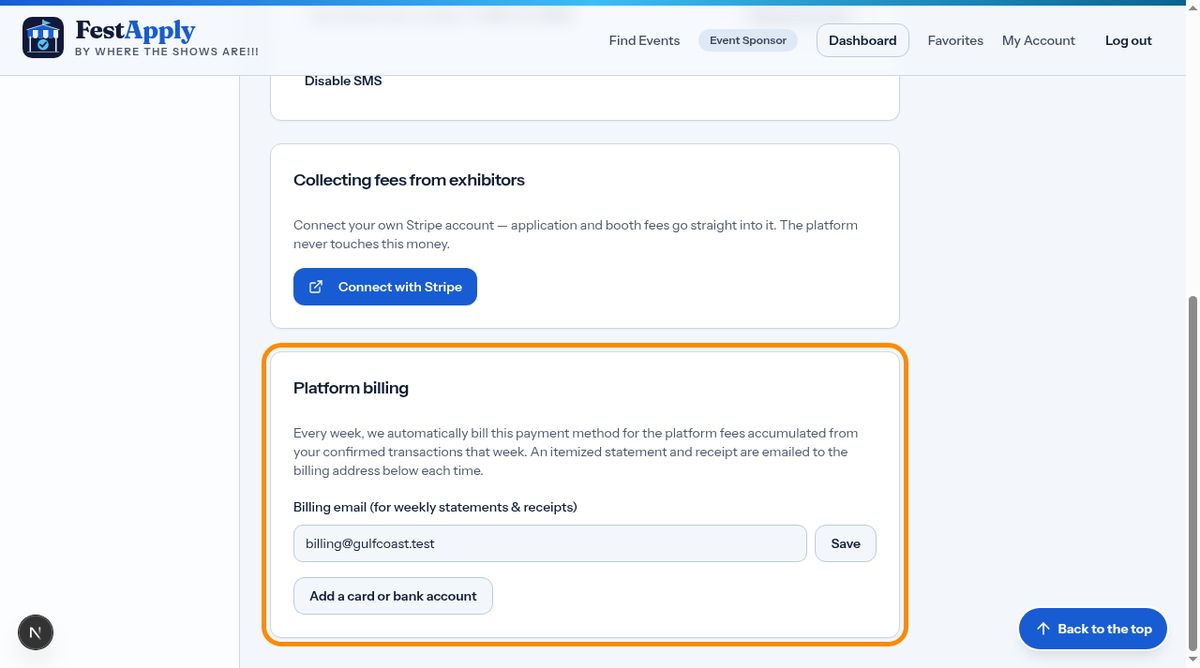
Below that is Platform billing. FestApply charges a platform fee on each completed transaction. Save a card or a bank account here, and add a billing email. Every Monday after midnight, Eastern time, we bill the week's fees to that payment method and email you an itemized statement and a receipt.

Platform billing

3Billing History

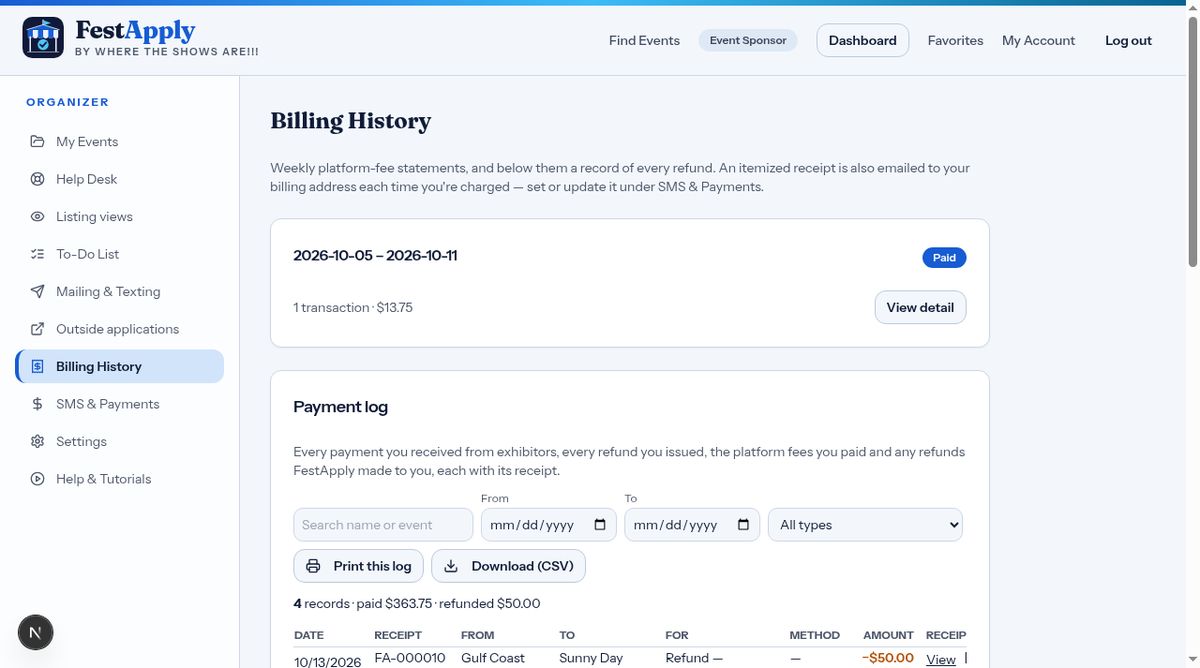
Billing History lists your weekly statements, with the dates, the number of transactions and whether each was paid. If a payment fails, the reason is shown, and we will try again.

Billing History

4Why was I charged this?

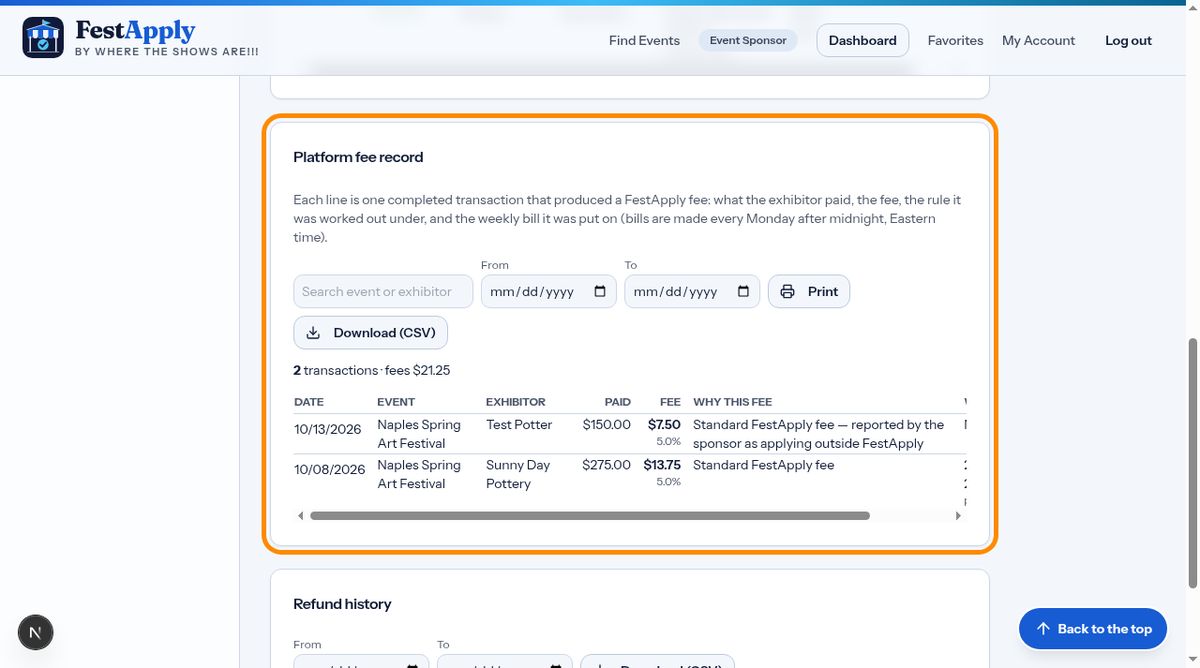
The platform fee record shows every transaction that produced a fee: what the exhibitor paid, the fee, its percentage, the rule behind it, and the weekly bill it went on. You can print it or download it as a spreadsheet, so you can always check a charge.

Why was I charged this?

5Receipts for your fees

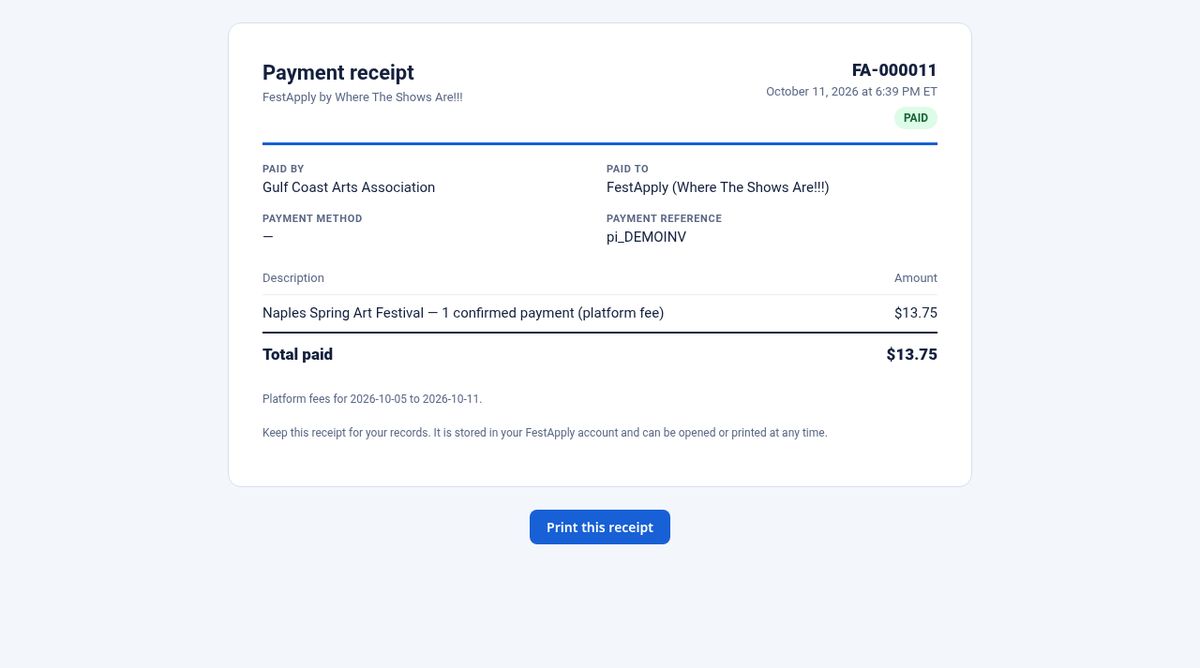
Each weekly payment has a numbered receipt, as a web page and a PDF. It is emailed to you and stored in your account. Remember that fees are earned when the transaction is completed. They stay due even if you later refund the exhibitor or cancel the event.

Receipts for your fees