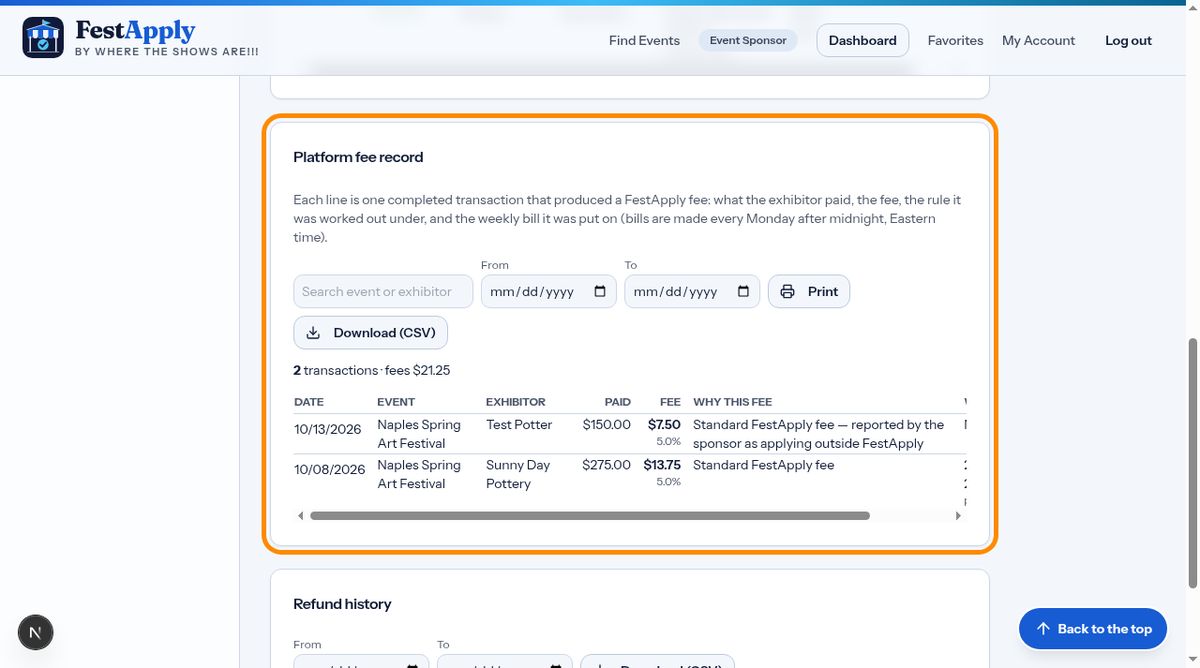
1Start at the applicant
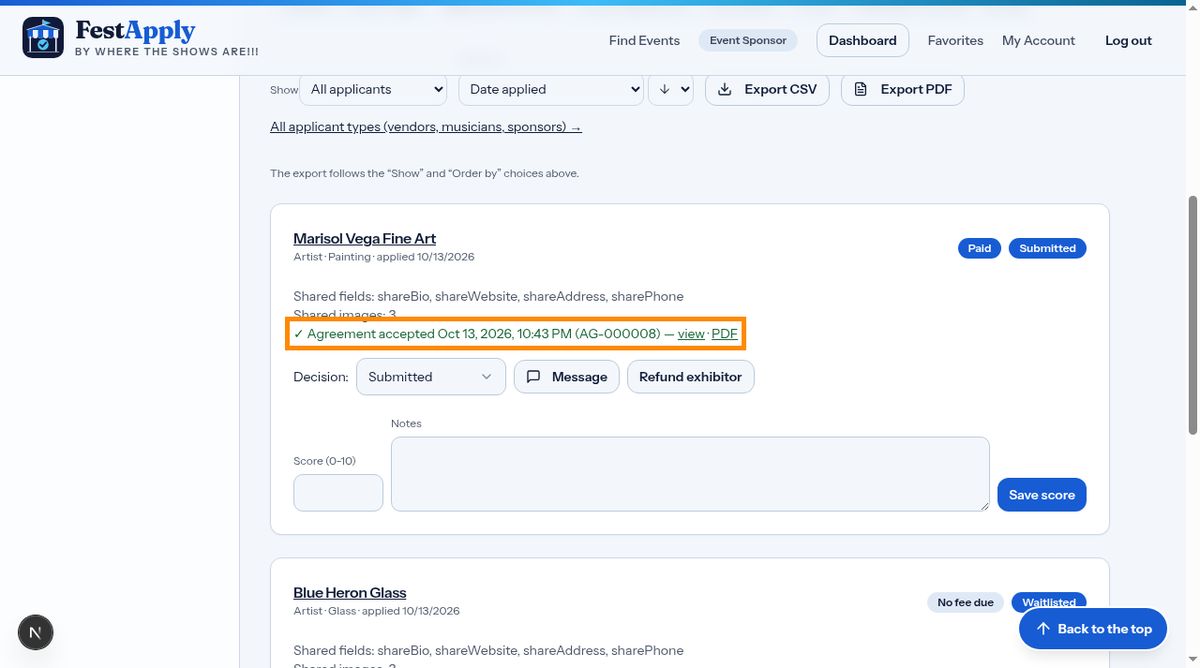
To refund an exhibitor, open the applicant on Applications and Jury and click Refund exhibitor. Refunds go back to the card the exhibitor used, through your Stripe account. They are between you and the exhibitor.
Lesson 10 of 11
Refund an exhibitor, and find the refund history, payment log and receipts.
To refund an exhibitor, open the applicant on Applications and Jury and click Refund exhibitor. Refunds go back to the card the exhibitor used, through your Stripe account. They are between you and the exhibitor.
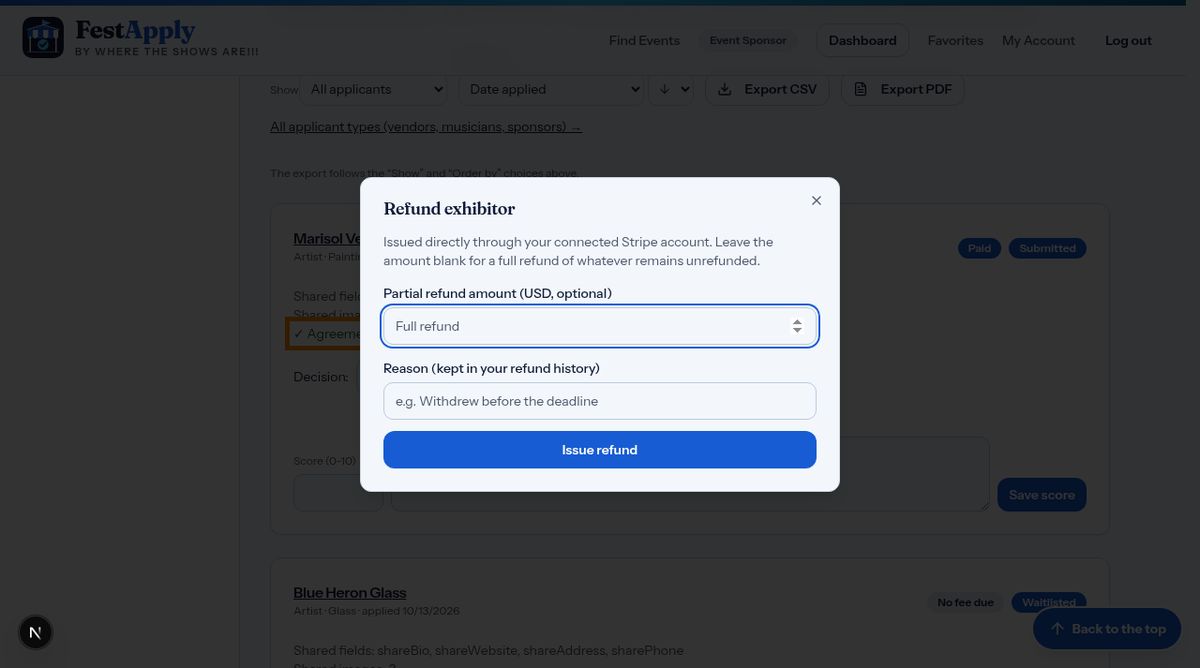
Leave the amount blank to refund whatever is left, or type a partial amount. Write the reason. It is kept in your refund history and printed on the refund receipt.
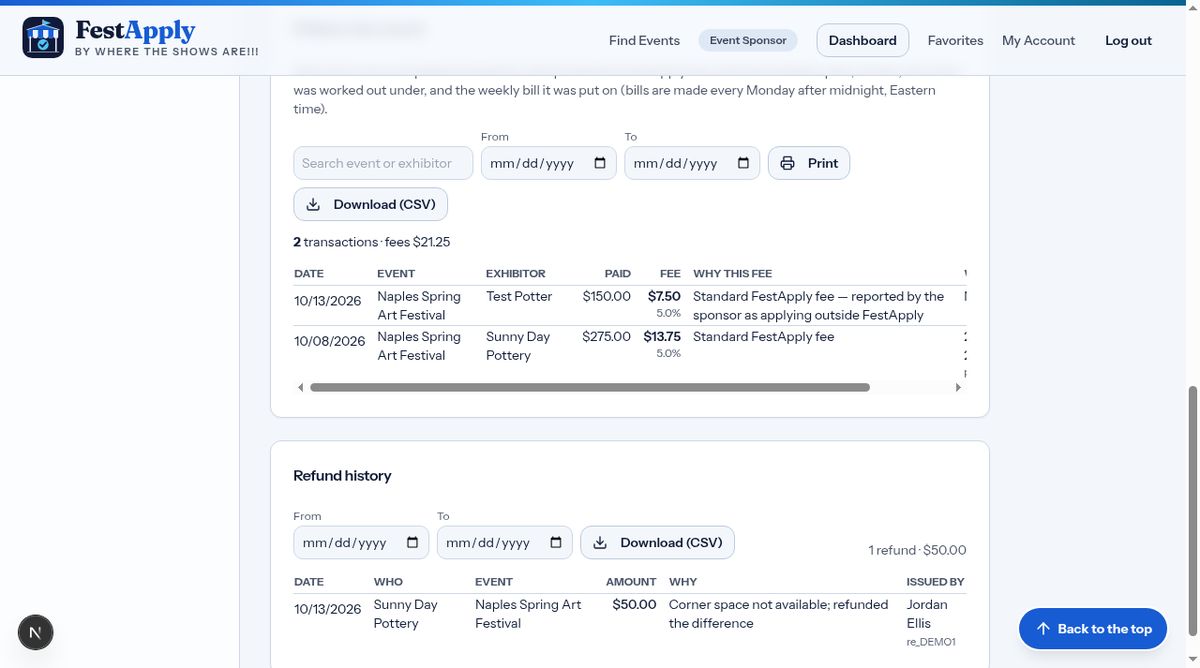
Every refund is recorded permanently, with the date, the amount, who issued it, the reason and the status. Refunds you make directly in your Stripe dashboard are picked up automatically too.
The payment log lists payments you received from exhibitors, refunds you issued, and the platform fees you paid. Filter by type or date, print it, or download it as a spreadsheet.
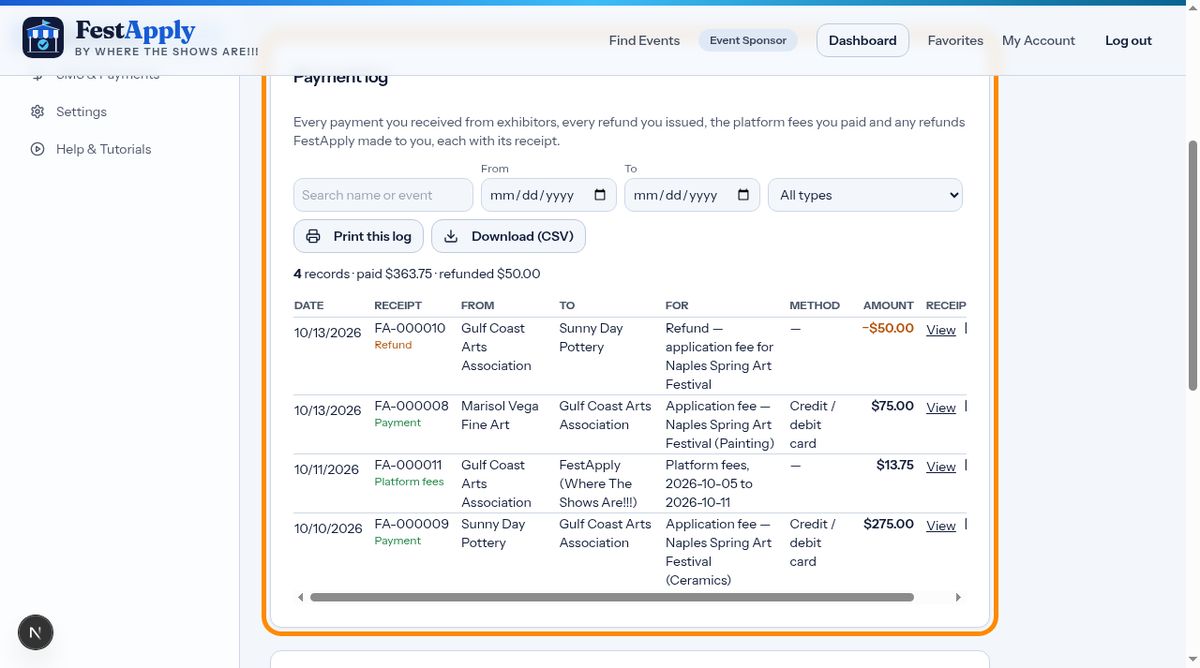
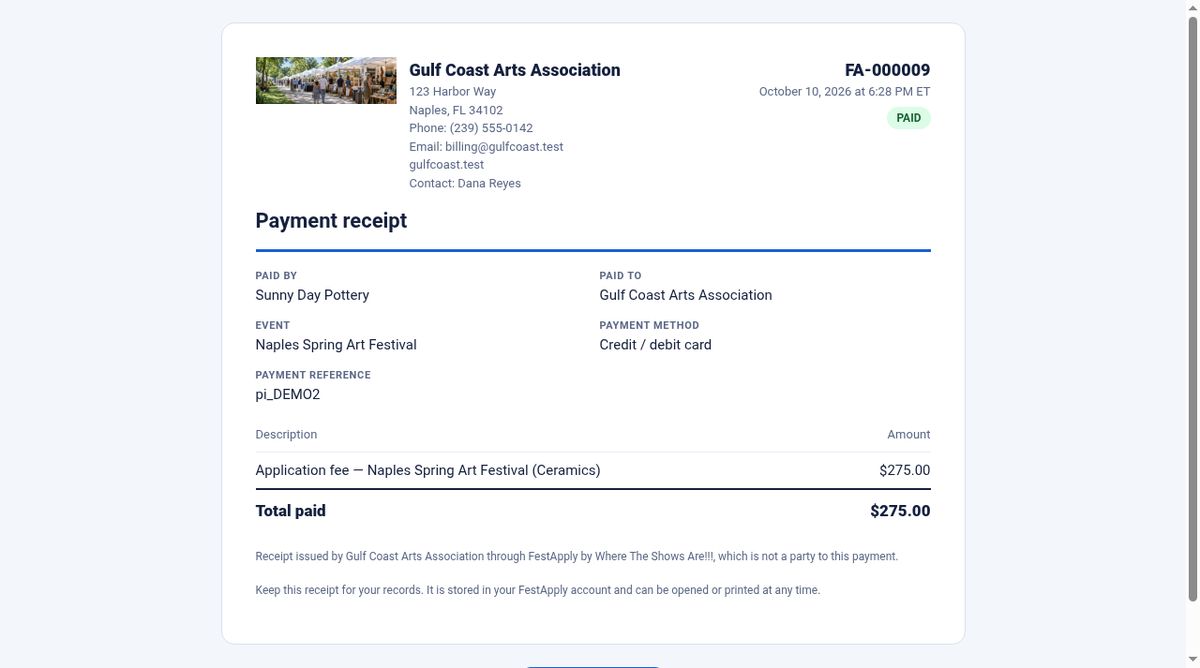
Every payment and refund has a numbered receipt, as a web page and a PDF. Receipts you issue to exhibitors carry your logo and your contact details, so they look like they come from you. Exhibitors get them by email, and they can open them any time.
When you refund an exhibitor, or cancel an event, the platform fee on the original payment stays due. Your agreement explains this, and the fee record shows exactly what was charged.